← All projectsYC Startup School HackathonJul 2026
LinqBot
Robot arm with three control modes
An SO-101 arm you can run on its own, drive with your hand through AR glasses, or text over iMessage.
LinqBot is an SO-101 robot arm you can run three ways: on its own, with your hand through the camera on a pair of Xreal One Pro AR glasses, or by texting it over iMessage, where a language model turns the text into robot moves.
The idea: autonomous robots stall on the odd case, like a can that is not where it should be, and a person somewhere else should be able to take over by hand or by text, then hand control back. We built it at the YC Startup School hackathon at Soma Capital, and all three modes ran on the real arm on the day. Below: scroll through how each mode drives the arm, where each one broke, and what we did about it.
Try it with your own hand
Press Start camera and your webcam stands in for the camera on the glasses. An open hand moves the gripper, a pinch closes the claw, and a fist is the clutch: it freezes the arm so you can move your hand back and carry on without a jump. Try to pick up the can.
Everything after the camera is our real hand-control code, the same code Mode 2 walks through further down, run on your real hand. The camera is only asked for when you press the button, the hand tracker loads only after that, and the video never leaves your browser.
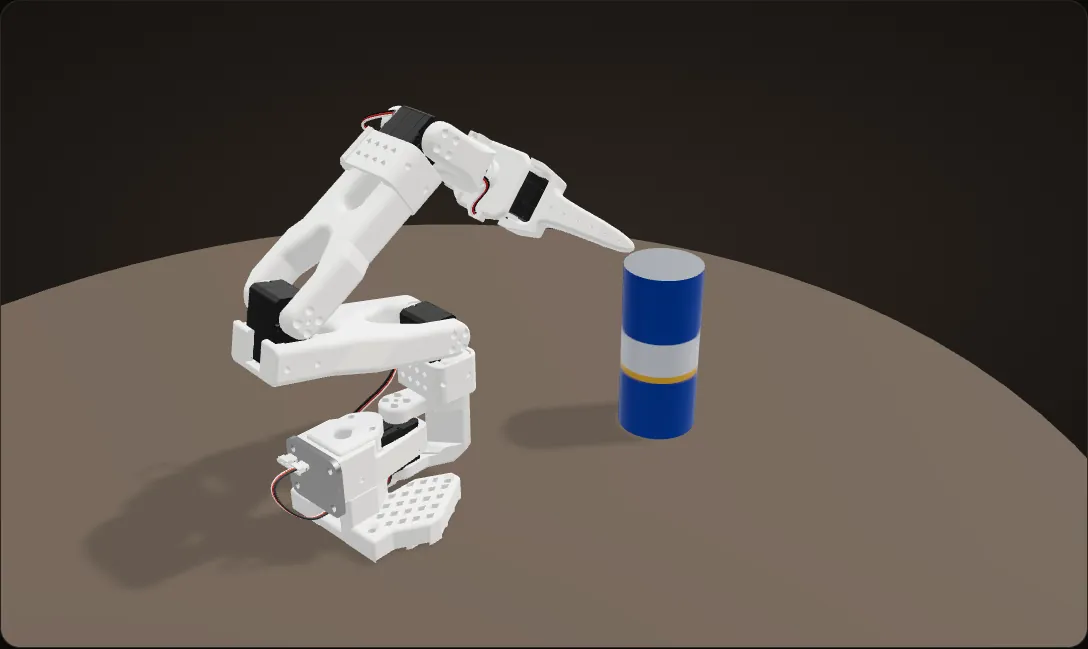
A simulation on our CAD of the SO-101, driven live by your webcam; the table and the can are props. The glasses’ camera looked out from the operator’s head toward the arm, while a webcam looks back at you, so left, right and reach are mirrored to feel natural. The hand tracker is MediaPipe (about 8 MB). The camera stops when you scroll away.
The idea: a person on call for the odd case
Robots on a line run on their own until something odd happens: a part in the wrong place, a missed grasp, an object they do not expect. Today the fix is a person standing next to each robot. We wanted that person somewhere else, looking after many robots and only stepping in when one gets stuck.
So the loop we set out to build is: the robot works on its own; when a step fails it stops and asks for help; a person takes over with their own hand through AR glasses, finishes the job, and hands control back. The three pieces that loop needs each ran on the arm at the hackathon. Wiring them into one automatic loop is still on our repo’s to-do list, so below it is an animation, not footage.
The plan, animated: autonomy fails, a human takes over
The mode names across the top are the control modes in our repo’s product plan. The glasses are a model of the Xreal One Pro, drawn for this page.
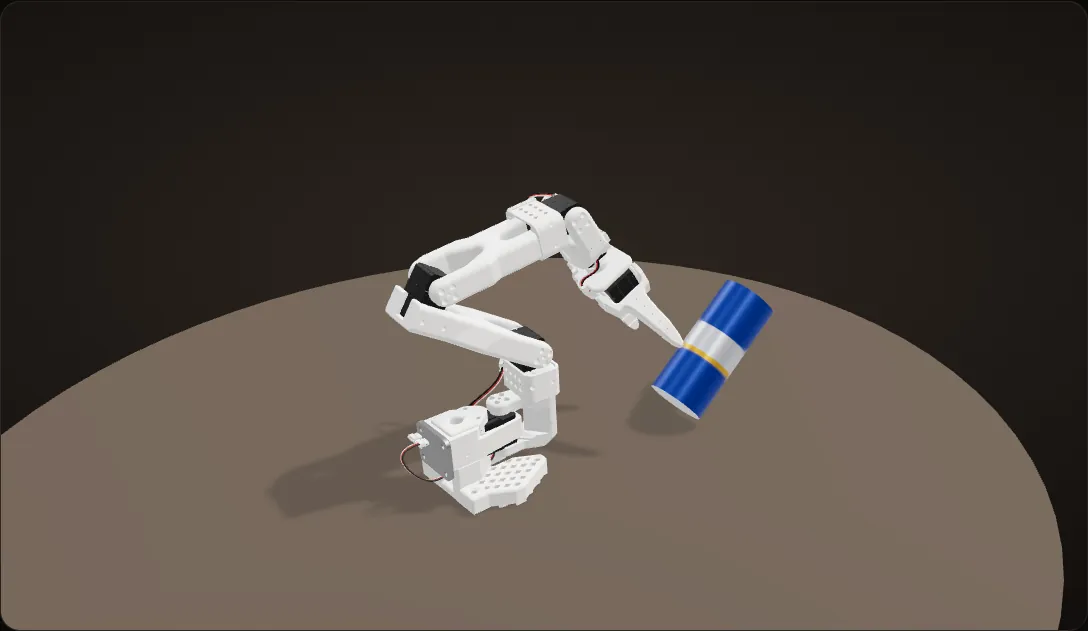
Planning
A text asks the arm to pick up a can and move it to the right, and the planner turns it into a list of robot moves.
Autonomous: the miss
The arm reaches for where the plan expects the can. The can stands a few centimetres to the side, so the jaw knocks it over and closes on nothing, the same miss as in our footage below.
Escalating: the operator’s glasses
The grasp step fails and the sequence stops. The robot asks for a person: an operator wearing Xreal One Pro AR glasses, with the Eye camera at the bridge that watches their hand.
Clear lenses
Until the robot needs them, the glasses are just glasses. Through the lenses the operator sees the room as it is: here the arm across the table, the can on its side.
The alert
The display in the lenses flags the operator: help, the grasp failed, take over? Our product plan also sends the alert as a text over Linq.
Human control: the robot’s view
The lenses go dark and become a screen: the view from a camera above the arm, with our status panel on top. Our product plan streams the robot’s camera to the glasses, so the operator can be anywhere.
Human control: by hand
The Eye camera tracks the operator’s hand: an open hand moves the gripper to the fallen can, a pinch closes the claw on it, and the hand carries it to the side.
Resuming
A fist hands control back, and the lenses clear again.
Autonomous again
The robot finishes the job: it sets the can down, lets go and folds back.
An animation on our CAD of the SO-101, not footage. The glasses are a model of the Xreal One Pro with the Eye camera, drawn for this page, not CAD; the view in the lenses is our CAD scene seen from a camera above the arm. The plan, the replies and the alert are illustrative; the status lines in the lens are the ones our glasses overlay shows.
Mode 1: on its own

The arm unfolds, reaches, closes on the can, swings it out of the way, lets go and folds back. We filmed these takes from above; two of them became the GIFs in our repo’s README.
The failure that makes the case

Problem Autonomy does not see the can
Our autonomous motion is open loop: nothing in it looks at the can. With the can a few centimetres off to the side, the arm reaches for where the can should be and the jaw knocks it over.
Fix
That miss is the moment LinqBot is for. Instead of making one motion smarter, the failure goes to a person: text the arm a correction, or put on the glasses and do the grasp by hand.
Next time
Close the loop: detect the failed grasp automatically and page the operator. Our repo’s to-do list has exactly that ("Failure escalation to remote AR hand-tracking recovery"), plus a control-mode arbiter so only one controller can command the arm at a time.
Three ways in, one arm
Every mode ends in the same place: a target for the gripper, clamped into a safe box in front of the arm, turned into joint angles by inverse kinematics, and sent to the SO-101’s servos. Scroll through each path in our code, stage by stage.
Text it
A text reaches our server through Linq, one planning call turns it into tool calls, and each call is clamped and checked before the arm moves. The reply is built from what the arm did.
Hand
The glasses’ camera stream is cleaned up, MediaPipe finds the hand, and the hand’s motion moves the gripper: clamped, solved, and held to 5 degrees per joint per frame.
On its own
A fixed pick-and-place motion. Nothing in it looks at the can, which is why it misses when the can moves.
One arm
All three paths end at the same six servos.
The hardware
- Arm. The open-source SO-101 follower arm from TheRobotStudio and Hugging Face’s LeRobot: six Feetech STS3215 serial bus servos for shoulder pan, shoulder lift, elbow, wrist flex, wrist roll and the gripper. The arm is not our design; our work is how it is controlled.
- Glasses. Xreal One Pro with the Eye: a small camera on the glasses that faces out, so it sees the operator’s hands. The glasses double as a second screen for our status overlay.
- A laptop drives both the glasses’ camera and the arm over USB, as a single host.
The arm, joint by joint
Our CAD of the SO-101, with each link turning about the axis of the servo it rides on as you scroll.
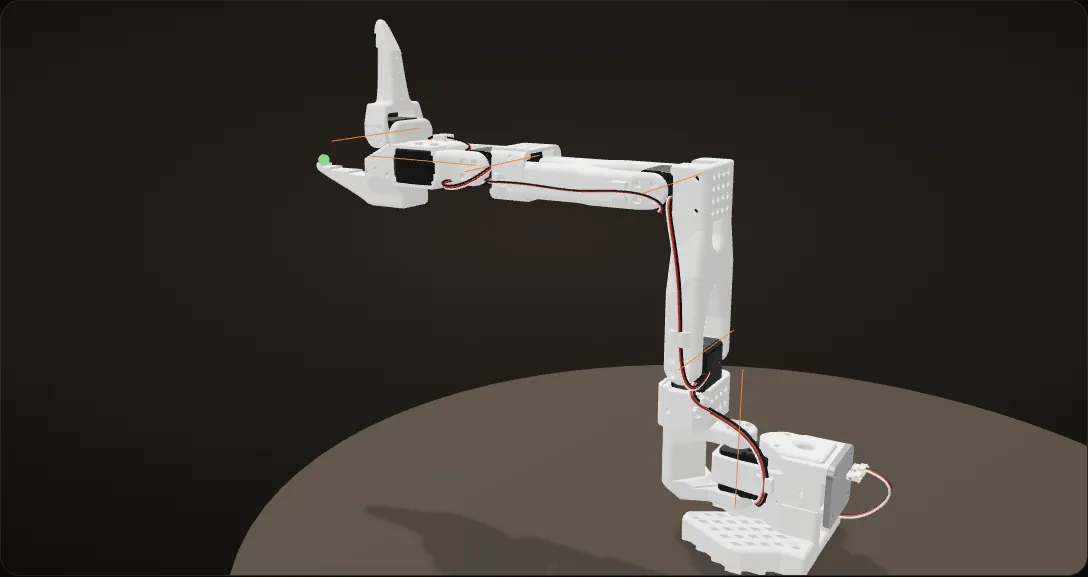
The pose in the CAD
Folded, every joint at zero. The orange lines are the joint axes: shoulder pan, shoulder lift, elbow, wrist flex, wrist roll and the gripper, each the axis of the servo that link rides on.
Shoulder pan, then shoulder lift
The pan swings the whole arm about the vertical; the lift raises the upper arm.
Elbow, then wrist flex
The elbow brings the forearm level and the wrist flex tips the gripper up and down.
Wrist roll and the gripper
The roll turns the gripper about its own axis, and the last servo opens and closes the jaw. Our hand mode locks the roll: position and pinch carry the task.
Our code’s zero
Upper arm up, forearm level: every joint at zero in the frame our code uses, the arm’s URDF, where +x is forward, +y is left and +z is up. The tool point sits straight out along +x, 0.39 m forward and 0.23 m up.
The box the text mode clamps into
Our text mode clamps every target into this box: 0.05 to 0.33 m forward, 0.20 m to either side, 0.02 to 0.35 m up. The orange cloud is every point the tool point can reach.
The box is a rectangle and the arm’s reach is not. On this model the four far corners of the box are out of reach by more than 2 cm, which is the same kind of failure as the "0.4 meters" text further down.
Our CAD with the screws and the servo driver board hidden. Each joint turns about its servo’s axis, checked against the STEP file; carried into our repo’s URDF frame, the tool point lands within a millimetre of the URDF’s gripper frame. Joint limits are set to keep this model out of itself; the real arm’s calibration sets its own.
Mode 2: with your hand, through AR glasses
The operator wears the glasses, looks at the arm and moves a hand. The pipeline, at up to 30 frames a second:
- Camera. Read a frame from the Eye camera on the glasses.
- Clean it up. Bilateral denoise, a gamma curve, local contrast (CLAHE), an unsharp mask, and a 2.5x upscale.
- Track the hand. One MediaPipe gesture recognizer finds 21 landmarks on the hand and labels a closed fist, in the same pass.
- Map it. Hand left and right, up and down move the gripper left and right, up and down. Hand size stands in for distance: bring the hand closer to the camera and it looks bigger. Pinching thumb and index closes the gripper, in proportion to the pinch.
- Clutch. A fist freezes the arm. Move your hand back to a comfortable spot, open it, and the arm carries on from where it stopped, with no jump: the motion is always measured from where the hand was when it opened.
- Solve. Inverse kinematics (ikpy on the arm’s URDF) turns the gripper target into shoulder, elbow and wrist angles, starting each solve from the arm’s real angles so the answer stays continuous. If a solve misses by more than 3 cm, the arm keeps the last good answer.
- Limit and send. No joint may move more than 5 degrees per step, and a joint that trails its command by more than 3 degrees for 10 frames is flagged as stalled. The status panel (clutch, hand found, gesture, frame rate, gripper target) shows on the glasses.

Calculation How much hand motion moves the arm?
| Gripper travel for the full image width | 0.6 m | our settings |
|---|---|---|
| for the full image height | 0.5 m | our settings |
| Dead band on each image axis | 0.006 of the image | our settings |
| Eye camera frame | 512 x 378 px | the camera stream |
| Joint limit | 5° per frame | our settings |
| Frame rate | up to 30 a second | our settings |
- Sideways: 0.6 m / 512 px = 1.2 mm of gripper travel for every pixel the hand moves
- Dead band: 0.006 x 512 px = 3 px, which is 0.006 x 0.6 m = 3.6 mm of gripper sideways and 0.006 x 0.5 m = 3.0 mm up and down
- Fastest joint: 5° x 30 frames/s = 150°/s
- A joint target that jumps 90° (a tracking glitch, say) takes at least 90 / 5 = 18 frames, 0.6 s, to reach
The hand has to drift about 3 pixels, 3.6 mm of gripper, before the arm follows, and nothing the tracker does can swing a joint faster than 150°/s.
The dead band acts on the smoothed hand position; depth, from hand size, has its own wider one (0.010).

How the hand drives the arm
Our hand-control code, run on a drawn hand and our CAD of the SO-101, 30 frames a second. The hand and its path are a script; everything after the camera is our code: the same filters and dead bands, the same fist clutch with its debounce, the same workspace box, and the same 5 degree limit on each joint per step.
The arm waits for a hand
The camera on the glasses looks out at the operator’s hand. The moment a hand shows up, our code stores where it is as the origin, and where the gripper is as the anchor, so nothing jumps. From then on the gripper target is the anchor plus the hand’s motion from the origin, scaled.
Across and up
Moving the hand across the image moves the gripper sideways, 0.6 m for the full width of the image; moving it up moves the gripper up, 0.5 m for the full height. Each axis is smoothed (a filter weight of 0.15) and ignores motion under a dead band of 0.006, so a still hand gives a still arm.
Reach: hand size is distance
One camera cannot measure distance, so the size of the hand in the image, wrist to middle knuckle, stands in for it. A smaller hand is a hand farther from the glasses, and the gripper reaches further out. This is the noisiest signal, so it gets the heaviest smoothing (0.08) and a wider dead band (0.010).
Pinch closes the claw
The claw follows the gap between the thumb and index tips, divided by twice the hand size: pinch them together and it closes, in proportion. Here the hand lowers the gripper around the can, pinches, and lifts it.
Clutch: a fist freezes the arm
The hand is stretched far out now. A fist freezes the arm so the hand can come back to a comfortable spot. The clutch only engages after 18 fist frames in a row, and only on a confident Closed_Fist label (0.60), so a pinch or a half-open hand does not freeze the arm by accident.
Only the position freezes: the claw still follows the fingers, and a fist keeps thumb and index together, so the can stays in the jaws.
Carry on, no jump
Six frames after the fist opens, the clutch lets go. The hand’s new position becomes the origin and the frozen gripper the anchor, so the arm carries on from where it stopped: across, down, fingers open, and the can stands in its new spot.
A simulation on our CAD of the SO-101, not a recording: the table, the can and the hand are drawn, and the glasses view in the corner shows the drawn hand the pipeline is given. The readout is our code’s rules run on that hand, with the settings from our repo.
What broke, and what we changed
Problem The glasses’ camera is not a webcam
The Eye camera does not show up as a camera at all. Its video comes over a virtual network link the glasses set up over USB-C, as a raw TCP stream, and only while the glasses are in Spatial Anchor mode, which switches itself off every time the glasses restart. With it off, the connection opens but no frames ever arrive.
Fix
We read the stream directly, building on a community toolkit for this reverse-engineered stream. Each 193,862-byte packet holds a 512 x 378 image at byte offset 0x140, 4 bits per pixel in the high half of each byte, which we scale back up to 0 to 255.
Our reader waits for a real first frame and fails loudly ("Spatial Anchor is probably OFF") instead of hanging, the start-up retries ten times, and the reader reconnects on its own if the stream goes quiet for 4 seconds. A plain webcam path lets the rest of the pipeline run without the glasses.
Problem The hand tracker could barely see the hand
MediaPipe’s hand models are trained on colour webcam images. On a dim, noisy 4-bit grey frame they barely register a hand, and the skeleton flickered and jumped around the frame.
Fix
Four changes, all in the code. The clean-up chain above, tuned on the real feed. Detection thresholds lowered to 0.15. Hands smaller than 4% of the frame (wrist to middle knuckle) thrown out as false detections, and the last good hand held for up to 24 frames through dropouts.
And one gesture recognizer in video mode, which keeps track of the hand from frame to frame, instead of a landmark model and a gesture model each re-detecting from scratch every frame. Our code notes that change as the fix for the flickering skeleton.
Problem The clutch fired on its own
The fist clutch kept switching on when the operator pinched or half-opened his hand, freezing the arm mid-move, and it flickered on and off.
Fix
Hysteresis and a debounce. A fist only counts when the model labels it a closed fist with at least 0.60 confidence (a finger-curl check alone was too eager), and it lets go as soon as the hand is clearly open again (0.35). On top of that, 18 fist frames in a row to engage the clutch and 6 open frames to release it.

Problem Twitching wrist
Wrist roll, read from the angle across the knuckles, was the noisiest signal on the grey feed; landmark jitter alone was enough to twitch the wrist servo.
Fix
First the heaviest filtering of any signal: slow smoothing, a 4 degree dead zone and a limit of 3 degrees per frame. In the final settings we locked the wrist roll. Position and pinch carry the task, and the roll stays fixed.
Problem Depth from one camera is rough
One camera cannot measure distance. Our stand-in, the size of the hand in the image, is the noisiest of the three position axes.
Fix
It gets the heaviest smoothing (a filter weight of 0.08 against 0.15 for the other axes) and a wider dead band (0.010 against 0.006), so a still hand gives a still arm.
Next time
Put the robot’s view in the glasses. Today the operator looks at the arm itself; for a robot somewhere else, our product plan streams the robot’s camera to the glasses.

Mode 3: text it over iMessage
Linq, one of the hackathon’s sponsors, connects an iMessage conversation to a server: every text to the robot arrives at ours as a webhook.
- Receive. A small FastAPI server gets the message from Linq’s webhook and checks its signature (HMAC, rejected if older than five minutes), so only Linq’s signed messages get through.
- Plan, once. One call to a language model (Runware’s GPT-5.6 Luna) turns the whole message into an ordered list of robot tool calls. It may use four tools: move the gripper by an x, y, z offset, tilt or roll the wrist, open or close the gripper, and hold still. "Move right 0.2 meters and open claw" becomes two calls. A direction with no distance means 0.2 m.
- Execute in order. Each call runs to completion before the next; the first failure stops the rest.
- Reply. The text back is built from the tool results, not written by the model, so the operator reads exactly what the arm did: every step with [OK] or [FAILED], and the distance asked for next to the distance the arm moved.
Keeping the model in the planner’s seat and out of the replies is one of the lessons in our README: a reply cannot claim something the arm did not do.

Text the arm
Four texts, one per scroll step, on our CAD. The first two are texts we sent on the day, word for word, and the first reply is the one it got. The last two are the same kind of text we sent that afternoon, and every reply after the first is worked out with our code’s rules. The arm starts low by the table, swung to its right, like the arm in our footage.
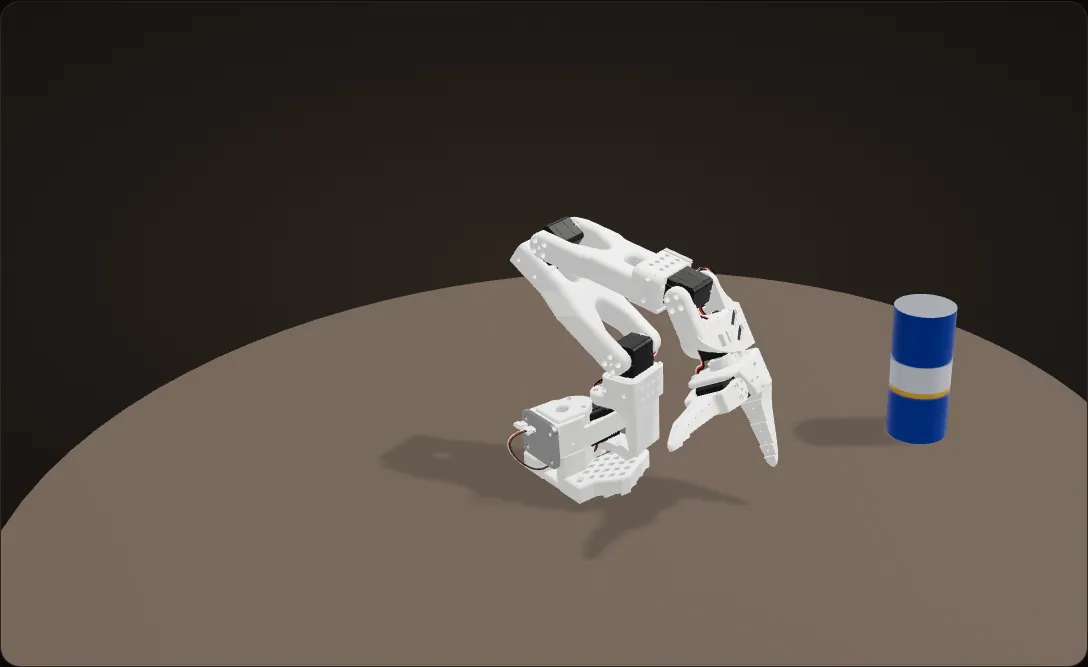
"Move forward 0.4 meters and close claw"
0.4 m is clamped to 0.33 m, the front of the box. The box is a rectangle and the arm’s reach is not: on our CAD, the closest the gripper can get to that point from here is 3.4 cm off, more than the 2 cm the check allows. The step fails as "target unreachable", and because it failed, the claw step never runs. Nothing moves.
"Move forward 0.2 meters and close claw"
Asking for less works: the arm ramps 0.2 m forward. Then the claw closes on the can and stops against it, so the jaw ends at about 44 (100 is open), not within 1% of closed, and the gripper step reports FAILED with the can in its jaws. On the day, the same check failed a close at 66.16.
"Move up 0.2 meters"
A failure only stops the rest of its own text. The next text lifts the gripper 0.2 m, and the can comes up in the jaws.
"Move left 0.2 meters and open claw"
The arm carries the can 0.2 m to its left and opens the claw, and the can drops to the table. Both steps come back [OK].
A simulation on our CAD, not a recording; the table and the can are props. The tool calls for each text are written out here in place of the language model’s plan; the tool rules, clamps, IK check and reply wording are our code’s. Here "applied" is worked out from the commanded target, while on the robot it was measured from the servos.

Safety rails between the model and the motors
A plan can ask for anything; the arm does not have to do it.
- Any single move is capped at 0.5 m, keeping its direction.
- The target is clamped into a box in front of the arm: 0.05 to 0.33 m forward, 0.20 m to either side, 0.02 to 0.35 m up.
- The inverse kinematics answer is checked with forward kinematics; if the gripper would end up more than 2 cm from the target, the step fails as "target unreachable" instead of moving somewhere else.
- Moves ramp over 2 seconds in 40 steps; wrist moves are held to the servo calibration.
"Move up 500 meters" came back as requested +500 m, applied +0.0315 m, "(safety/workspace limited)".
Calculation How fast can a text move the arm?
| Largest single move | 0.5 m | our code |
|---|---|---|
| Every move ramps over | 2 s, in 40 steps | our code |
| A typical request | 0.2 m | the texts we sent |
- Each step: 2 s / 40 = 50 ms
- A 0.2 m move: 0.2 m / 2 s = 0.1 m/s on average, about 5 mm a step
- The largest move allowed: 0.5 m / 2 s = 0.25 m/s on average, 12.5 mm a step
However a text is worded, the gripper averages at most 0.25 m/s over a move.
The ramp steps the joint angles evenly, so the gripper's speed along its path varies; these are averages.

What broke in the text path
Problem "0.4 meters" was out of reach
"Move forward 0.4 meters and close claw" came back: "Robot sequence stopped at step 1 of 2; 0 actions were completed: [FAILED] Cartesian IK failed: target unreachable."
The forward move is clamped to the front of the box, 0.33 m. But the box is a rectangle and the arm’s reach is not, and from where the arm was, the solver could not get the gripper within 2 cm of that point. The step failed and, because it failed, the gripper step after it never ran. That is the rule doing its job: nothing moved that should not have.
Fix
Ask for less. "Move forward 0.2 meters and close claw" worked.
Problem A moving jaw reported as a failure
A gripper step only counts as OK if the jaw ends within 1% of fully open or fully closed, read right after its one-second ramp. On the day, a close came back "[FAILED] Gripper command failed ... 'goal': 0.0, 'measured': 66.16, 'moved': True" and stopped the rest of the sequence. The next message in the thread was "Hold". In our carry clip below, the reply just above the next command is another of these FAILED closes (measured 68.52), and the can is in the jaws.

Problem Replies said "limited" when nothing was limited
Many replies ended in "(safety/workspace limited)" even for small moves inside the box: "Move down 0.1 meter" came back as applied -0.115 m. The applied distance is measured from the servos after the move and compared with the request to a tenth of a millimetre, so any difference, from the 2 cm IK tolerance or from the servos, trips the flag.
Problem "Forward" went sideways
The text agent’s arm code follows our move-to-target test script, and that script described its axes the wrong way round: it said x was left and right and y was reach. Following it, "forward" travels sideways.
Fix
We measured the axes on the loaded arm model instead: with every joint at zero the gripper sits at (0.391, 0, 0.227) m, straight out along +x, and the shoulder pan swings it along y. So +x is forward and +y is left. Texts use +x right, +y forward, +z up, and one function converts between the two.
Problem A silent "success"
When the IK solver cannot reach a target, it quietly hands back its previous answer. The arm then does not move, and the reply would still say OK.
Fix
Every solution is checked with forward kinematics before the motors move. If the gripper would land more than 2 cm from the target, the step fails loudly and the result records the closest point the arm could reach.
Problem "Up" pulled the arm backwards
The arm’s folded rest pose sits outside the box. Clamping all three axes on every move would drag the gripper 4 cm backwards on a plain "move up".
Fix
Clamp only the axes a command actually moves.

Grasp, lift, carry, let go: all by text
The day
10:45 am
Kickoff
Hacking ran until 5:15 pm. The submission was a recorded demo of at most two minutes and a public GitHub repo.
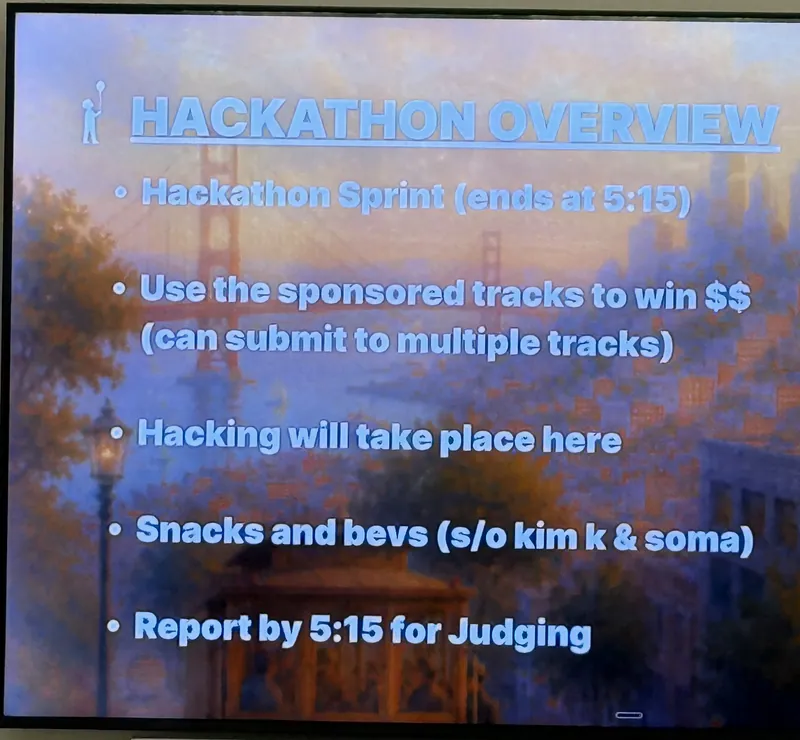
The kickoff slide: "Hackathon Sprint (ends at 5:15)" Afternoon
Each mode on the real arm
The arm followed a hand seen by the glasses’ camera ("It’s working"), we filmed the top-down autonomous takes, and a text command moved the arm.
Late afternoon
Debugging the hand tracking, then the text session
The hand tracking stopped responding on the grey feed and came back. The text session turned up the out-of-reach "0.4 meters", the "limited" replies and the gripper check, and included the arm grasping, lifting, carrying and letting go of a can by text.

The code
All of it is public: github.com/amzoeee/soma-hackathon (Python).
agent/: the text path. The FastAPI webhook for Linq, the single planning call, the four robot tools, the SO-101 adapter (calibration, IK, clamps, ramps) and the replies built from results. It also holds a second version of the text agent built on LangGraph (understand with Claude, validate, execute, respond), which runs in dry-run mode.robot/: the AR path. The Eye camera reader, the image clean-up, MediaPipe hand and gesture tracking, the relative mapping with the fist clutch, ikpy IK on the SO-101 URDF, the per-step joint limit and stall check, and the glasses overlay.vendor/: the community Eye camera stream toolkit we built on, and an earlier hand-to-arm prototype.docs/: build briefs and the product plan for the handoff loop.
Stack: Python, FastAPI, Linq, Runware (GPT-5.6 Luna), LangGraph, MediaPipe, OpenCV, ikpy, LeRobot, Feetech STS3215 servos, Xreal One Pro and Eye, LocalTunnel.
Results
- All three modes ran on the real arm: autonomous pick and place (two clean takes and one miss on camera), hand control through the glasses, and a grasp, lift, carry and release driven entirely by text.
- The safety rails held: an out-of-reach request failed without moving the arm, and "Move up 500 meters" moved it 3 cm.
- The automatic handoff between the modes, the loop animated above, is on our repo’s to-do list.

What comes next
From our repo’s to-do list:
Next time
Automatic failure escalation into AR hand-tracking recovery, and a control-mode arbiter so only one controller (the planner, autonomy or a person) can command the arm at a time.
Next time
A human approval step before any robot motion: the operator sees the exact plan, tool by tool, and approves or rejects it by text; nothing moves before that.
Next time
Higher-level autonomy tools (navigate, find, pick, drop) and a mobile base, for an end-to-end factory demo, plus automated tests.